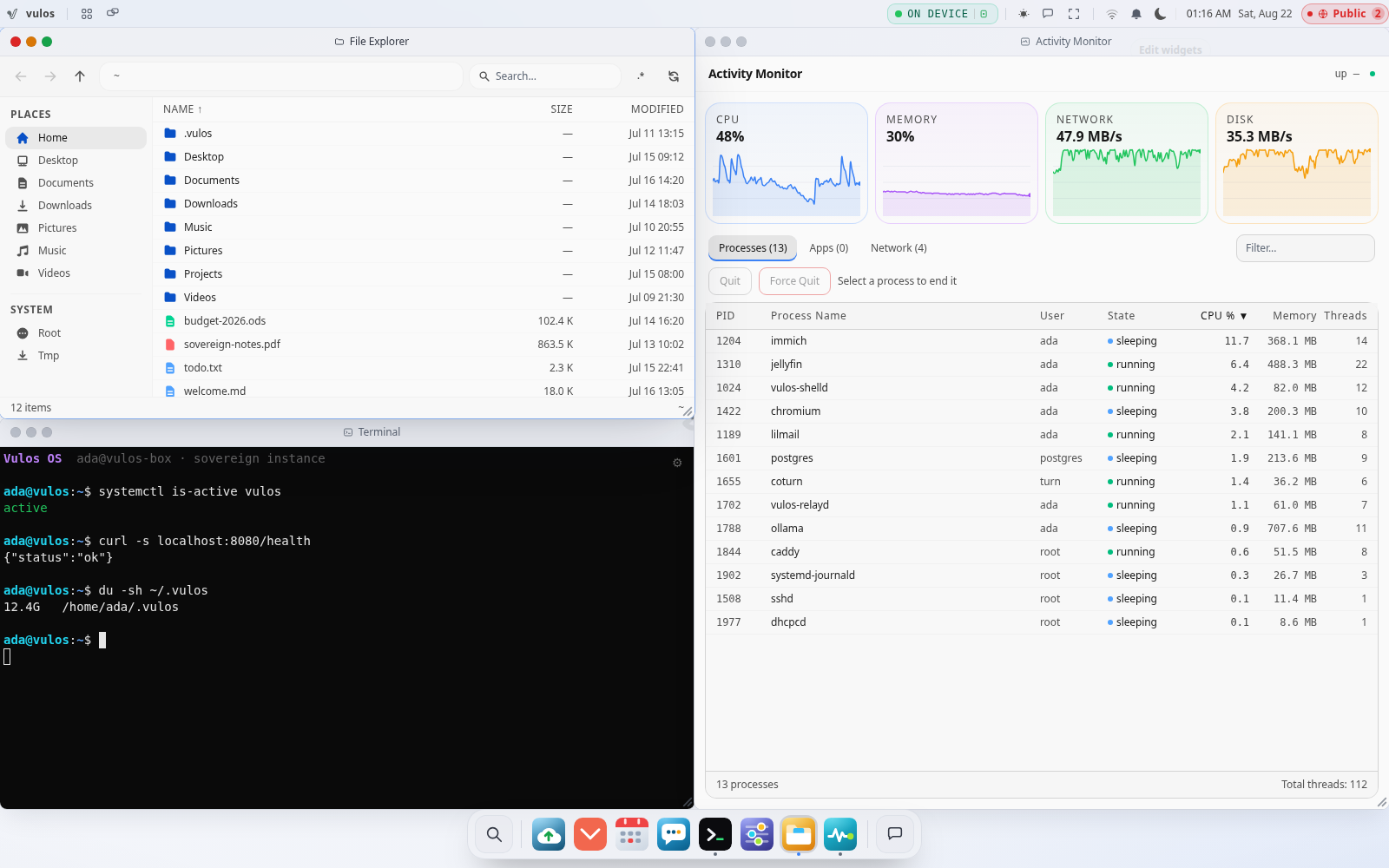
You run it
Boot Vulos OS on a mini-PC, a spare laptop, or your own cloud VPS — same binary either way. Self-hostable, always.
Vulos is a web-first operating system you run on hardware you own. Open any browser and land on a real desktop: your files, your apps, your terminal, your own private AI. Reach it from anywhere through the built-in Vulos relay. You hold the keys; nobody stores them. Not privacy theatre — agency.
The whole model in one line: you run Vulos OS on hardware you own, it holds your desktop, apps, files and private AI, and it stays reachable from any browser, carrying ciphertext nobody in the middle can read. With a static IP it’s reached directly over TLS; behind NAT the built-in Vulos relay — a role of the same binary, so you just run one yourself — makes it reachable. (Pier is an experimental alternative broker.) Nothing exposed, nobody holds your keys.
Boot Vulos OS on a mini-PC, a spare laptop, or your own cloud VPS — same binary either way. Self-hostable, always.
Your desktop, apps, files and private AI all live on your box — never in a shared central database.
Your box dials out — direct-first, relay-fallback — carrying ciphertext it can’t open. The relay is a role of Vulos itself, so you run your own; no ports to forward, nothing exposed. (Pier is an experimental alternative.)
Sign in once and reach the same desktop from any browser, laptop or phone. Walk away with all of it anytime.
Web apps run as first-class citizens in the browser. Native Linux GUI apps — GIMP, LibreOffice, Blender, games via Wine and Lutris — stream individual windows on demand over WebRTC. The shell, the file manager, the terminal, the dock: a real OS that happens to live in a tab.
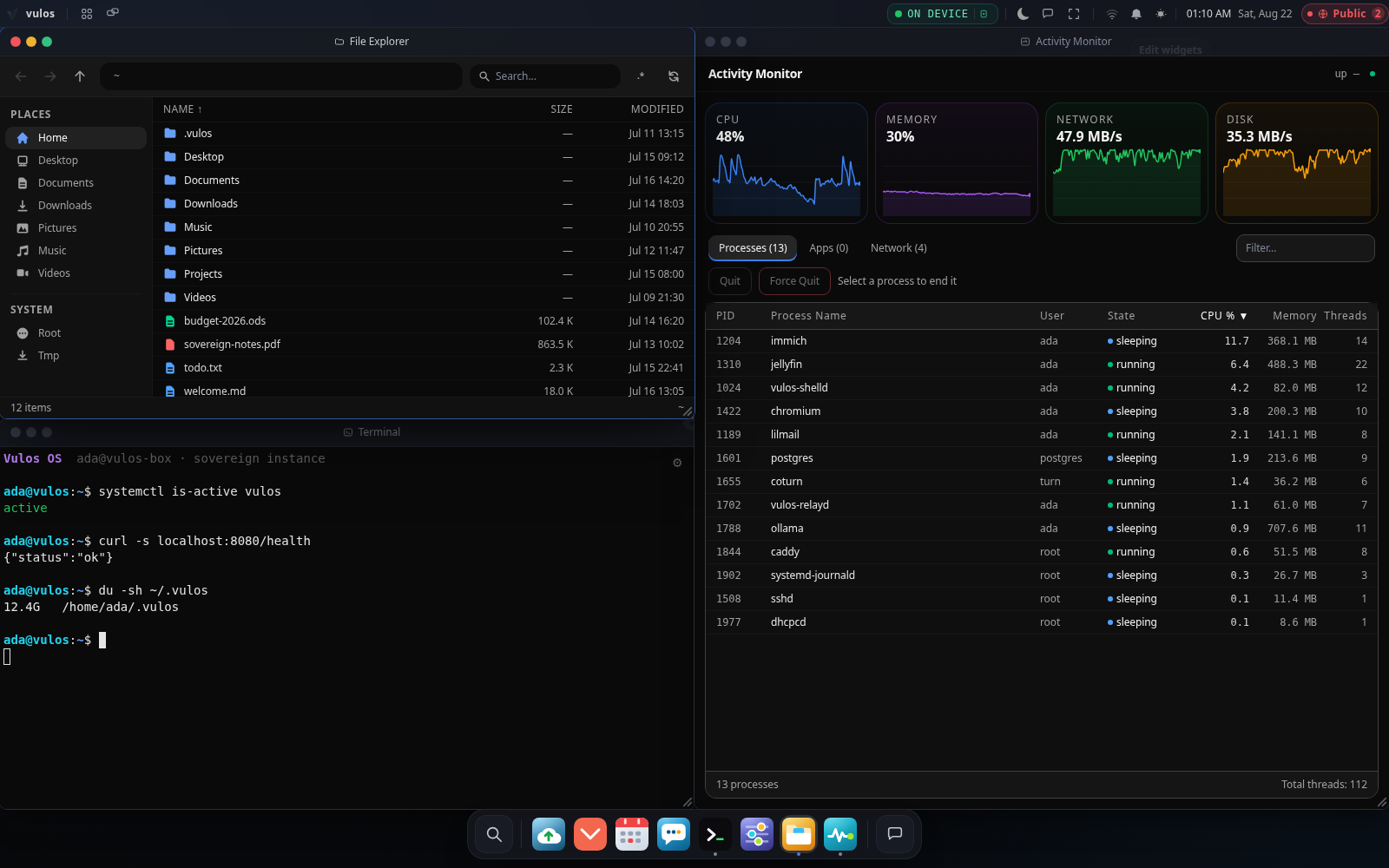
Windows, dock, file manager, terminal, settings — a real OS shell rendered in the browser. Open it from your laptop, phone, or any browser anywhere and you get the same desktop.
Self-host the apps you would rent from SaaS. Memos, Navidrome, Uptime Kuma, Vaultwarden — installed as proper OS apps with their own subdomain and isolated namespace. Not iframes, not bookmarks.
Every Vulos instance is a server with an Ed25519 identity and a vulos:<id> URI. Instances message, share files, and place WebRTC calls directly. No middleman. No account on someone else’s server.
Flash the same image to a USB stick. Boot into a labwc/cage compositor that renders the browser shell fullscreen, with native Linux app windows beside it. The same OS, end to end.
Real screenshots from the open-source OS — the home you land in, every device and peer box in one roster, the app hub, your files and a real terminal. Reach any of them through the built-in Vulos relay; this is the OS itself.
The same desktop, the same apps, the same identity — whether you open Vulos on a big monitor, a tablet on the couch, or your phone across the world. Reached through the built-in Vulos relay; no app store, no separate build.
Vulos doesn’t sell you a model or ship your mailbox to someone else’s GPU. It’s AI-friendly: the OS and every app expose clean, gated context and tool seams to whatever model you plug in. Run a local model on your box, or point it at a provider you trust — you decide, per request.
# local model — dialed on-box, no network
$ curl localhost:4000/v1/chat/completions
  -d '{"model":"ollama/llama3", ...}'
→ 200 OK  backend=loopback  egress=none

# remote provider — denied at dispatch
$ curl localhost:4000/v1/chat/completions
  -d '{"model":"openai/gpt-4o", ...}'
→ 403 sovereignty_error
  "remote backend blocked; set allow_egress:true"

# opt in, explicitly + logged
$ export LLMUX_ALLOW_EGRESS=true
→ 200 OK  backend=openai  egress=logged
NAT traversal is hard. Firmware rollouts are hard. Recovering a locked-out box is hard. The built-in Vulos relay — a role of the same binary, so you run your own on any public-IP box — handles the parts your devices cannot do alone, forwarding encrypted bytes only. With a static IP you skip it and go direct. (Pier is an experimental alternative broker.) The OS keeps running regardless.
Your account lives on your own box — a username and password, with a 24-word recovery kit you save at setup and a PIN that locks the screen. Sign in once, and the built-in Vulos relay makes the box reachable from any browser. There is no central login server: your sign-in and your data both stay on hardware you own, and your identity is a keypair only you hold.
A verifiable boot chain from image to running OS. One account across every instance. A sync model with no elected leader. Each is a deliberate architectural choice, not a feature flag.
Vulos ships as a squashfs image signed with an Ed25519 trust key baked in at build time. Whether you boot from USB or over PXE netboot, the kernel verifies the image before it runs anything. No unsigned firmware, no mutable rootfs, no post-install drift.
Boot architectureYour Vulos account is an Ed25519 keypair, not a row in a shared directory. Sign in to home.vulos, studio.vulos, or pi-lab.vulos with the same identity — no OAuth dance, no delegated trust, no shared secret store between instances.
Identity modelConfiguration and state sync across your instances uses a leaderless CRDT model: every node can write, all nodes converge, and none is authoritative. Partition tolerance is structural, not bolted on. Works offline; catches up when reconnected.
Sync internalsFlash the image to a USB stick or point your BIOS at boot.vulos.org. Either way the trust key is baked in — the loader verifies the squashfs before the kernel hands off. No key-on-first-boot ceremony, no unsigned init phase.
Every Vulos instance has an Ed25519 identity and a vulos:<id> URI. A request-approve handshake establishes a signed server-to-server link. After that, your instances message, share files, and place WebRTC calls peer-to-peer — no relay unless NAT forces it.
Vulos isn't locked to a single machine. Run it on your always-on home box and your laptop, and they sync as peers — your apps, settings and workspace follow you. Reach either one from your phone, whether you're on the couch or across the world.
We mean that literally. Vulos is open source. You run it on hardware you own, your data lives on your box or a storage bucket you choose, and your identity is a keypair you hold. There is nothing to unsubscribe from.
The reason to run your own machine is that nobody else gets to change the terms on it — not the price, not the features, not who reads what. The price of that is a list of jobs that stop being somebody else’s. Here is the list: what actually lands on you, what the OS ships to meet it, and the chapter you can check us against.
Vulos runs on hardware you own — a mini-PC, a spare laptop, a VPS. The floor is UEFI firmware with Secure Boot switched off (the bootloader is not Secure-Boot-signed today, so a machine with it enabled will simply refuse to start), 2 GB of RAM and 10 GB of disk. When that machine is off, so is your desktop.
A self-hosted box has a keys drawer, and none of it is ours: the 24-word recovery phrase shown once at account creation, the backup passphrase, the cluster passphrase, your credential-vault master password, and the recovery-kit file. The phrase resets a forgotten password without losing encrypted content — it does not recover the other four.
There is no one-click restore, and the manual says so under a heading called Honest gaps. The hourly encrypted vault covers your working data directory and only that — databases, key stores and your box’s peer identity sit outside its scope, and a box with no object store attached has no built-in offsite copy of Drive documents at all.
Vulos operates no relay for you. That is the trade-off that keeps anyone else out of your path — and it means reaching a box behind NAT is a small VPS with a public IP and a domain you control, which the manual costs at roughly €4 a month. The relay role is not a release artifact either; you build it from the same repo.
Attach an S3-compatible bucket and you pay that provider directly — we charge nothing for any of this and run no store of our own. Object pricing has well-known traps, egress fees and minimum-duration charges chief among them, so which provider you pick is a decision rather than a detail.
An A/B update wants room for a second root filesystem — about 593 MB — beside the one you are running, and on a disk sized for exactly one there is nowhere to stage it. Block-level integrity has an edge of its own: booted from the live USB the root is checked by dm-verity as it is read, but a netboot install does not yet copy the hash tree in beside the image, so an installed box runs an image whose signature was checked rather than one being re-checked block by block. The architecture chapter writes both down (OSDIST-FLIP-01) instead of glossing them.
None of this is copy you have to take our word for. It is written down in what it takes to install, backup & recovery, running a relay, and the OS architecture — the same chapters that ship with the source.
Every limit and guarantee on this site is implemented in code, not promised in copy. The source is open — verify the math yourself.
Vulos is built in the open across the vul-os organisation — the OS shell, every app in the suite, and the engines beneath them. Star counts are pulled live from GitHub. Everything that runs your box is open source.
Built on the open ecosystem
The whole suite is open source and runs on your own box. No account to create, nothing to lock you in — run it, read every line, and walk away whenever you like.
 vulos
vulos diwan
diwan lilmail
 wede
wede slipscan
 envoir
 pier
pier gitstate
 soko
soko kerf
kerf aql
aql zana
zana sirboard
 vuna
vuna molao
molao athar
athar beepbite
 cackle
 pango
pango openrate
 evermesh
 magnetite
 wibbly
 kilio
kilio patala
 basin
basin kotva
kotva llmux
llmux